Payment methods affect far more than the moment a customer pays. They shape how quickly sales are completed, how much time employees spend correcting records, and how soon accurate transaction data reaches your accounting system. Some companies also use straight-through processing to automate payment data flow and reduce manual handling. Even for a small business, choosing practical payment tools can free up hours that are better spent serving customers and generating revenue.
The Link Between Payments and Productivity
Every extra step in a payment process creates work. An employee may need to enter the same amount into a payment terminal, sales system, and accounting platform. If one number is entered incorrectly, someone must locate the discrepancy later.
Start by mapping the path of a typical transaction. Note where employees type information, wait for approvals, or transfer records between systems. Then look for payment tools that connect those steps or remove duplicate data entry. Technology can also help small businesses reduce manual payment tasks and improve efficiency when the right tools are integrated into everyday workflows. Ten ways technology can help small businesses offers examples of how automation and digital tools can reduce repetitive work.
A five-minute delay may seem minor, but repeated 20 times each day, it adds up to more than 33 hours over a typical 20-day working month. A simpler process gives that time back to your team.
Faster Transactions, Happier Customers
Long checkout times can create frustration, especially at pop-up shops, busy service counters, and events. Customers expect payment options that match how they already shop, including contactless cards and mobile wallets. The Federal Reserve’s consumer payment research provides useful context on how payment habits continue to shift across the United States.
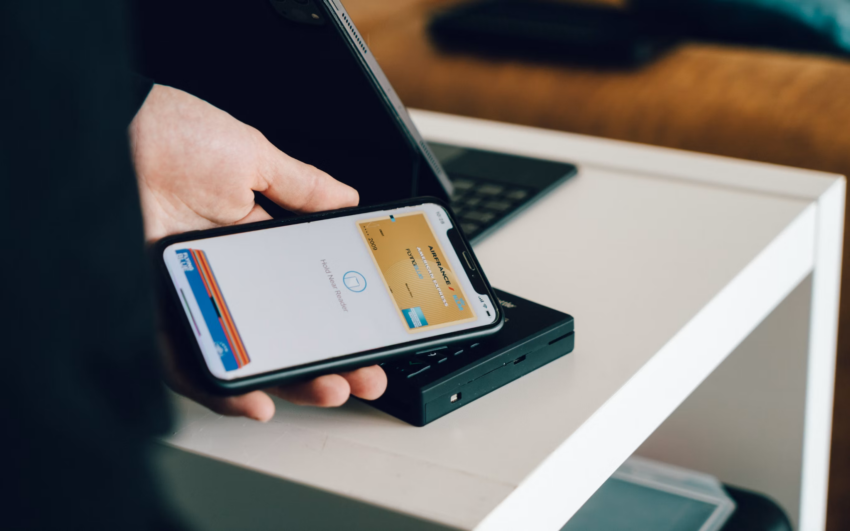
For businesses that sell in multiple locations, a card reader for your phone can turn a compatible smartphone or tablet into a mobile point-of-sale system, allowing employees to accept payments without relying on a fixed checkout terminal. Support for contactless, chip, and magnetic-stripe payments gives customers several familiar ways to pay.
Test your checkout process during a quiet period. Employees should know how to connect the reader, select the correct transaction, and send a receipt before the next rush begins.
Mobile Solutions for Busy Entrepreneurs
A fixed checkout counter doesn’t suit every business. Mobile payment tools are useful for service providers visiting client locations, restaurant teams serving outdoor areas, and retailers attending temporary markets. Employees can complete a sale where the customer is already standing, which reduces lines and unnecessary movement.
Before adopting a mobile setup, check battery life, device compatibility, and internet requirements. Keep charging cables and a portable power bank available for long workdays. Your team should also know what to do if the connection drops, including how to pause a transaction without charging the customer twice.
Assign each device to a specific employee or location. Clear ownership makes it easier to track equipment, review activity, and identify the source of an issue.
Reduce Errors and Reconcile Easily
Accurate reconciliation starts with consistent records. Use standardized product names, tax settings, and employee permissions across every payment device. If one location labels a service differently from another, sales reports may require manual cleanup before they become useful.
Connect payment records to your point-of-sale or accounting workflow when the available systems support it. At the end of each business day, compare completed transactions, refunds, and payment totals. This short daily check is easier than investigating a month of mismatched records before a reporting deadline.
Limit refund access to employees who need it and require brief notes for unusual transactions. Those controls protect data quality while giving managers enough context to resolve discrepancies quickly.
A smarter payment setup should produce visible results: shorter checkout times, fewer corrections, and cleaner daily reports. Review those three measures after the first month. If transactions move faster but reconciliation still takes hours, the next improvement belongs in the reporting workflow.